
TL;DR
- All but one of these 17 AI customer support platforms document a customer-facing AI agent that can change records in systems the vendor doesn’t own: refunds, orders, accounts, and cases. The choice comes down to who approves each change and what the invoice counts.
- Our overall pick is Computer, by DevRev, for teams whose hardest tickets end as engineering work. It links the support ticket to the engineering issue, and you choose which actions wait for sign-off.
- By situation: Fin for chat-first teams, Salesforce Agentforce on Service Cloud, Zendesk if you’re staying on Zendesk, and Gorgias for Shopify stores.
Which AI support platform fits how you handle changes?
Start from your hardest common ticket, then pick the AI that can finish it on a meter you can forecast.
Entry 1 is our pick. After it, the numbers set a reading order, not a ranking, and the comparison table below gives all 17 entries a situation.
Almost every agent on this list can now act, which makes an agent’s resolution rate less useful than three plainer answers: what it can change, who approves first, and what you’re billed for. Every vendor counts its rate its own way, so we report each one as that vendor’s claim and don’t rank on it.
What is AI customer support software?
AI customer support software runs an AI agent that answers, routes, and resolves customer requests across chat, email, and voice, then hands the rest to your team with the context attached. The stronger products also act. They change orders, accounts, and tickets in the systems that hold them, under approval rules you set.
Most vendors also sell a copilot that drafts replies for your team. We judge the customer-facing agent, because that’s the one on the meter.
What should you check before an AI agent touches your systems?
We count a platform as able to act when its own pages show its customer-facing AI writing to a system the vendor doesn’t own, through actions it ships or tools your engineers wire up. All but one of these 17 clear that bar. Plain is the exception: we found no documented writes by Ari, its customer-facing agent, while Sidekick, its team-facing agent, files Linear and Jira issues after you approve. Then we put every entry through what we call the receipt test:
- What can it change? Ready-made actions, or ones your engineers have to wire up, and in which systems. A refund the agent can issue is worth more than one it can only explain.
- Who approves first? Your staff, your customer, or nobody by default. The answer decides which tickets you can hand over without worry.
- What are you billed for? A verified fix, a customer who went quiet, a session, or every conversation. That unit, not the homepage rate, sets the bill.
How do the 17 best AI customer support platforms compare?
This is desk research: we read each vendor’s own documentation, pricing pages, and customer stories on September 21, 2026 (Owlish and Botsify on September 27, Fini on September 29), and our own pages on October 15. Prices are each vendor’s published list prices for its cloud plans. “Not in public docs” means we looked and didn’t find it, so ask the vendor.
When don’t you need an AI support platform?
Sometimes the most sensible AI purchase is no AI purchase. Skip it, or wait, if any of these sound familiar:
- Most of your tickets need judgment. Freshworks’ own docs scope its agent to Level 1 and “how-to” queries. If your queue is full of exceptions, you’re paying an agent to escalate.
- Your knowledge base is thin. Every agent here answers from your content, and Plain’s Ari hands off when search finds nothing. Thin docs mean more handoffs, whatever the vendor’s rate says.
- Your volume is low. Fixed costs arrive before savings do: Lorikeet’s $2,100 monthly plan fee, paid once a year; HubSpot’s $1,500 onboarding fee; or Fin’s minimum of 50 outcomes a month on other help desks.
- You can’t say what a resolution is. If you can’t audit the definition on the invoice, you can’t audit the savings either.
Which 17 AI customer support platforms made our list, and why?
The entries follow the comparison table’s order: entries 2–7 are AI inside a help desk you may already run, entries 8–12 sit on top of your help desk, and 13–17 are specialists. Each entry sells an AI agent that answers your customers directly, and each publishes enough to check what that agent can change.
Where we quote Reddit, it’s first-hand comments only: we read each commenter’s recent posts and skip accounts that mostly promote one vendor. The quotes show how customers describe a product, not how common a view is, and no table cell rests on them. Entries without a Reddit section are ones where we didn’t find a first-hand comment that passed that check.
1. Computer, by DevRev – support and engineering in one place
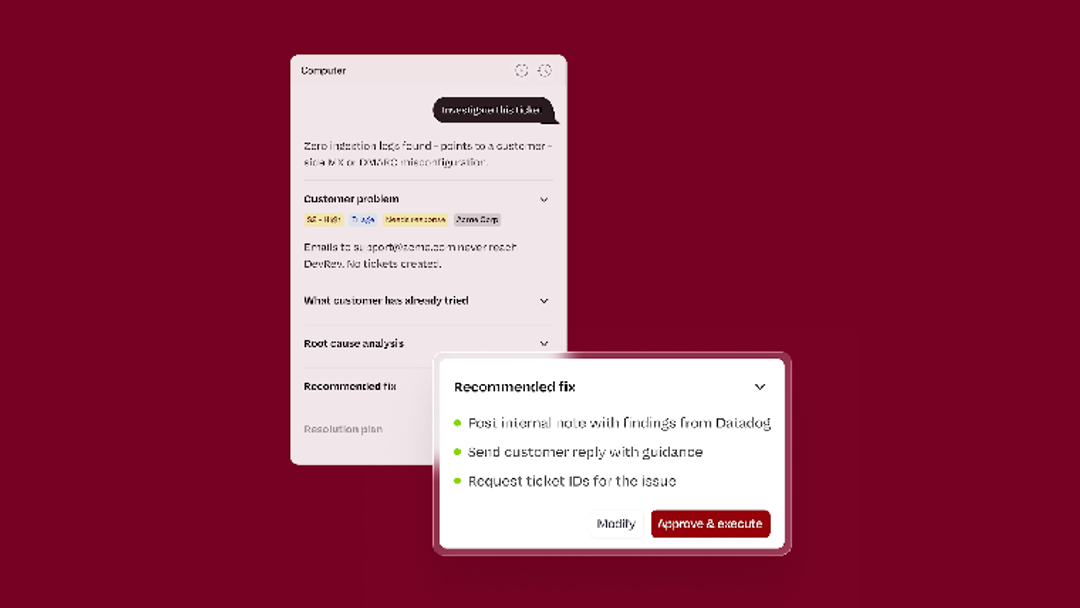
We built Computer for the tickets that end with an engineer. The Customer Agent is drafted from your support history, every ticket and every resolved conversation. A ticket can link to the engineering issue that fixes it. Bolt, the one-click checkout company, connected its customer, product, and engineering teams on DevRev, with GitHub stage changes updating on their own.
This DevRev video shows how a support ticket links to the engineering issue that fixes it.
Computer has three layers worth keeping apart. For data sync, Computer AirSync is our two-way sync engine for your source systems. The agent works across chat, email, and voice. For actions, you configure what it may change in Agent Studio, where agents can update customer relationship management (CRM) records and create tickets.
In the deployment at BILL (a cloud-based financial operations software company), the agent created and updated Salesforce cases through a deep integration, and Salesforce stayed the system of record. Our BILL customer story reports a 70% resolution rate from a proof of concept on 200,000 real customer queries. That’s our own figure from a test before rollout, not a production rate. In production, the agent became the first line of response for 800,000 customer inquiries, a total the story gives without a time period.
Approval is a per-action choice: in Agent Studio, “Needs Approval” is off until you switch it on for an action. Our “How Computer works” page names refunds, account changes, and external communications as the operations to hold for human sign-off before they run.
Current plan details: DevRev pricing.
Verdict: Choose it when a ticket and its engineering fix need to stay linked from the first reply to the release.
See which of your tickets Computer can finish: book a demo or start free on the Mini plan.
2. Fin (Intercom) – chat-first actions with teammate approvals
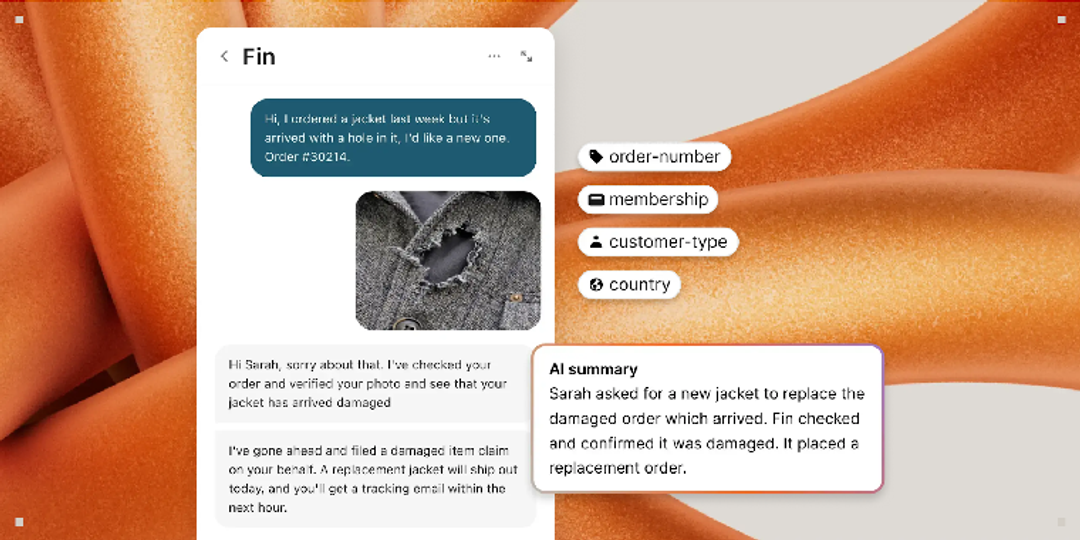
Fin is the company formerly called Intercom, which took the Fin name in May 2026. Salesforce completed its purchase of Fin on September 10, 2026, and Fin now sits inside Salesforce AI Labs, where it keeps serving its own customers. Its data connectors can create, update, and delete records in outside systems. You can also require a teammate to approve high-risk actions, such as refunds, before Fin continues.
Fin’s pricing page lists $0.99 per “outcome,” billed at most once per conversation. Outcomes include a customer who leaves after an answer without asking for more help, and Procedure handoffs to your team. Fin’s homepage claims a 76% average resolution rate, and Intercom’s own metric divides by the conversations Fin took part in.
Verdict: For chat-first teams, Fin documents its actions, offers approvals, and publishes its chat and email price. On Service Cloud, look at Agentforce, now under the same owner.
What Reddit says
Budget for knowledge work. One team rebuilt its help docs from zero:
“The final decision did land on deleting the past 3 years of docs (inside Intercom) and will start over from scratch.”
r/CustomerSuccess. February 2026 ↗
3. Salesforce Agentforce – the default when Salesforce runs your service desk
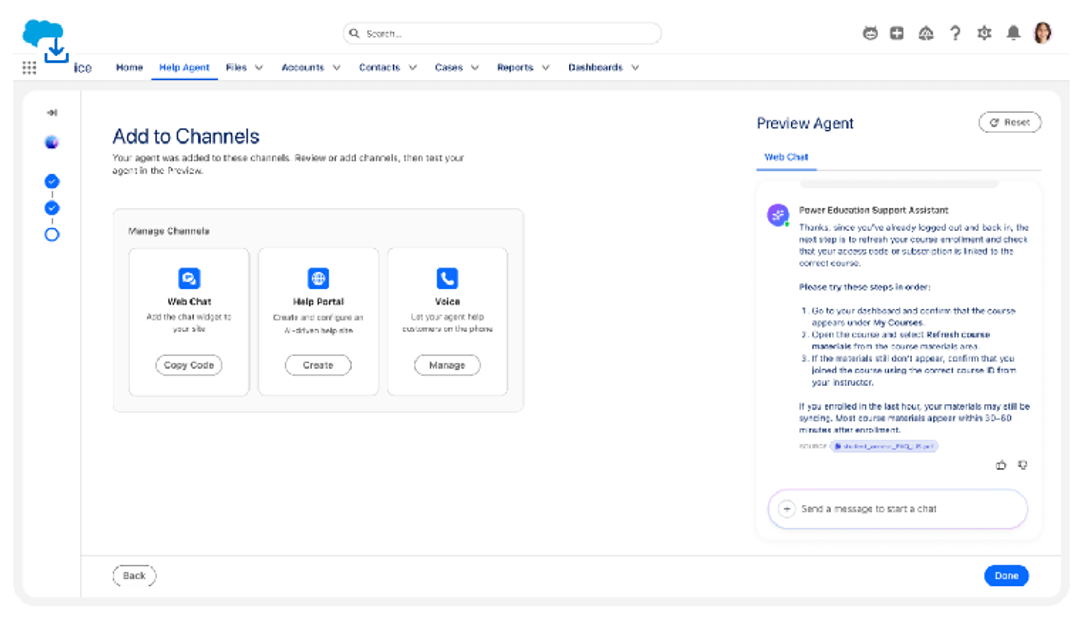
Agentforce acts on Service Cloud records and reaches other systems through flows, Apex, MuleSoft, or any API you register. You can make an agent confirm with the customer before it changes a record. Casey, the prebuilt Help Agent launched on June 25, 2026, can manage cases, schedule appointments, and update orders. Salesforce says it resolved 70% of 4.3 million inquiries on the company’s own help site.
Capability isn’t deployment, though: Salesforce’s own story on Southwest Airlines shows an agent sending travelers to Southwest’s site to change their own bookings.
On billing, Salesforce publishes a three-part test for a billable resolution. It caps a resolution at two hours on chat and 10 minutes on voice, and unresolved sessions don’t bill. Pay-per-resolution arrived in July 2026.
Verdict: If Salesforce is your system of record and your admins speak Flow, start here. Off Salesforce, Fin, its new sibling, runs on other help desks.
What Reddit says
This team doubts the cost savings:
“My objection is C-suite thinks this is an amazing cost saving tool, the numbers do not reflect that in any capacity.”
4. Zendesk – AI billed only on verified resolutions
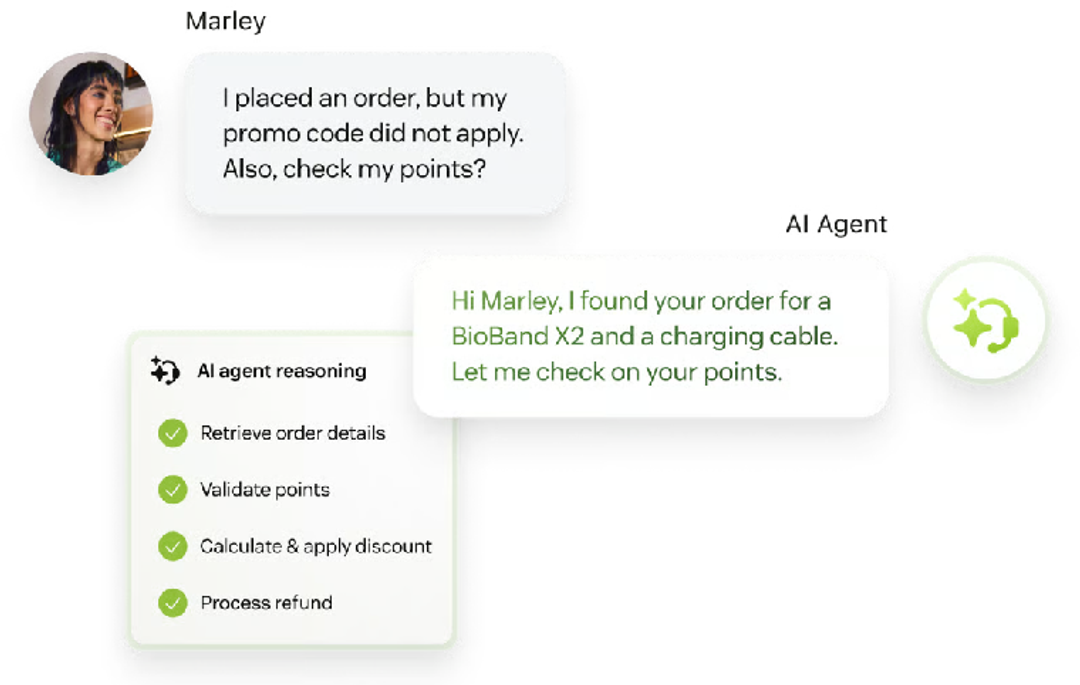
Since May 18, 2026, Zendesk bills only for resolutions an AI model has verified. It records an assisted escalation but doesn’t charge for it. The agent can act, too: custom actions call your systems with “write” methods, and action flows can send an approval request and wait for the answer.
One line in Zendesk’s docs is worth taping to your monitor. Email AI agents can consume resolutions they shouldn’t if an automation trigger is missing.
Verdict: Already on Zendesk? Stay, because its AI meter bills only verified resolutions. Ask sales for the tier prices and size the allowance with care, since unused resolutions lapse each month.
What Reddit says
This admin watched the bots eat into the year’s resolution allowance:
“We had already consumed more than 40% of the automated resolutions included in our plan for the entire year. We had to move the highest-performing bots out of Zendesk because they were resolving too many enquiries.”
5. ServiceNow – customer service AI inside the estate you run
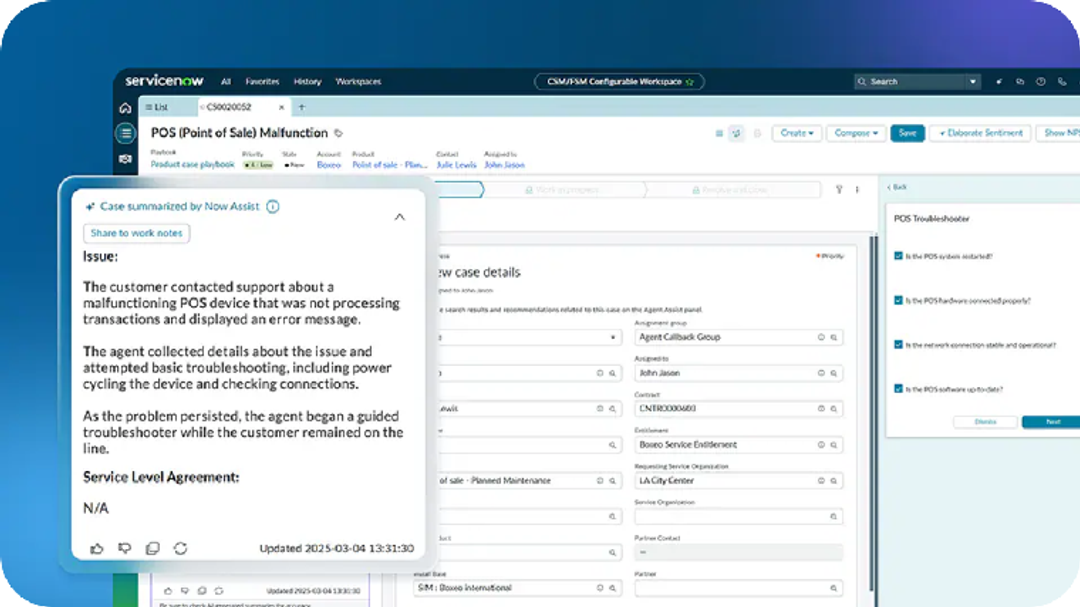
Out of the box, ServiceNow’s customer service agents work on its own cases. The prebuilt workflows ship read-only until you copy and turn them on, and reaching other systems takes Integration Hub spokes or a Model Context Protocol (MCP) client. Otto, announced at Knowledge 2026, replaces the Now Assist and Moveworks brands, and ServiceNow says it acts within your approval chains.
ServiceNow says AI agents automate 37% of the case workflow in its own support organization, mostly routing, categorization, and summaries. That’s useful groundwork, but it stops short of closing tickets.
Verdict: If ServiceNow already holds your cases, stay put, price the AI agents into the renewal, and budget for Prime if you’ll build your own.
What Reddit says
This implementer turned on ServiceNow’s AI plugins for IT service management (ITSM), customer service management (CSM), and the configuration management database (CMDB), then spent go-live switching things off:
“We turned on the ITSM, CSM, and CMDB Now Assist plugins and immediately had to deactivate around 80% of the automatically installed skills and tools.”
6. HubSpot Service Hub – $0.50 a resolution inside your CRM
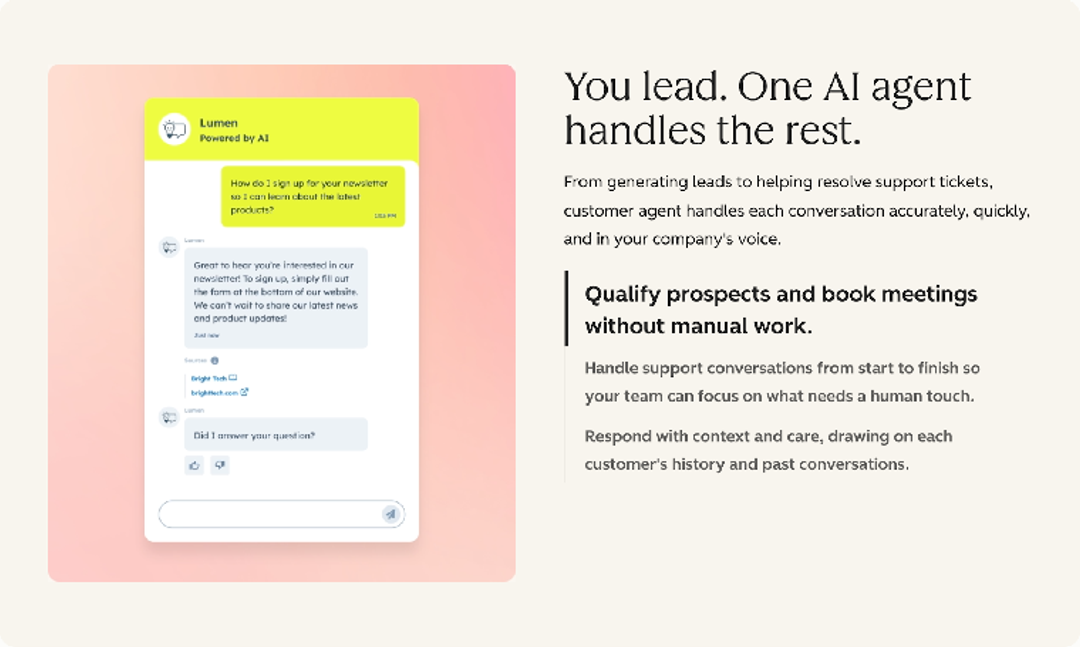
Customer Agent updates HubSpot records and calls your APIs through actions you configure. Each action can check the visitor’s email first, and HubSpot advises that account-access actions send secure links instead of making changes in the chat. HubSpot documents that email check rather than a staff approval step.
HubSpot’s pricing lists $0.50 per resolution for messaging, and HubSpot claims a 70% average resolution rate. By HubSpot’s billing rules, any answer no visitor escalates within 72 hours bills, and so does a lead marked “not qualified.”
Verdict: Start here if HubSpot already holds your customer data and price per resolution decides the deal. Before seats and the onboarding fee, its $0.50 is the lowest published per-resolution price among these 17 outside an enterprise plan; Fini’s $0.49 is Enterprise-only.
7. Freshworks Freddy – session-priced AI on budget seats
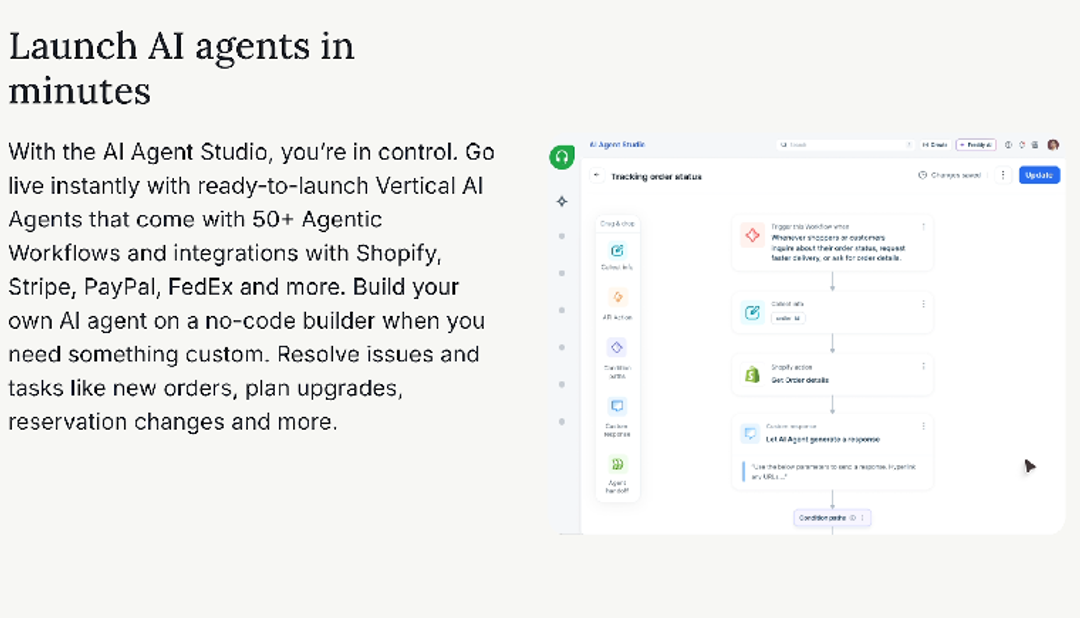
Freddy’s API Action blocks trigger operations in your backend, including refunds and order updates, and 50-plus prebuilt workflows cover Shopify, Stripe, Okta, and more. It can ask the customer to confirm before a high-impact action.
The meter needs a close read: email sessions run 72 hours from the customer’s first message, and a chat session covers 24 hours, resolved or not. Freshworks prices MCP actions past your plan’s allowance at $15 per 1,000. Its 80% headline also carries an “up to.”
Verdict: On a tight budget, low seat prices and ready-made order actions cover order changes without custom code. Price the sessions and MCP actions before you launch, because at real volume the meter sets the bill.
8. Sierra – outcome-priced agents for consumer brands
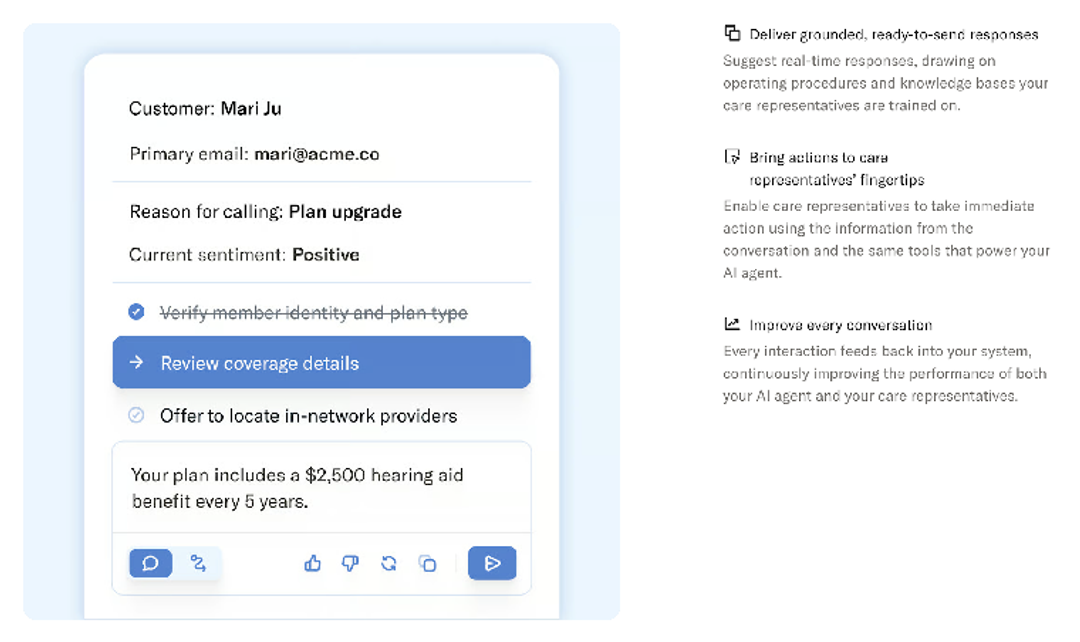
Sierra says its agents process returns, update orders, and take card and Automated Clearing House (ACH) payments under deterministic, policy-controlled access. It sells outcome pricing, though its own pricing post says some interactions bill per conversation. Its story on Singtel, a Singapore telecom company, scopes a 73% figure to troubleshooting cases in the first six weeks.
We didn’t find a per-action approval setting on Sierra’s public pages as of September 2026, and its documentation sits behind a login. If payments are in scope, ask how those actions are held before you sign.
Verdict: Outcome pricing suits high-volume voice, though some conversations still bill regardless of outcome. Get “finished” defined in writing.
9. Decagon – agent logic written like an SOP
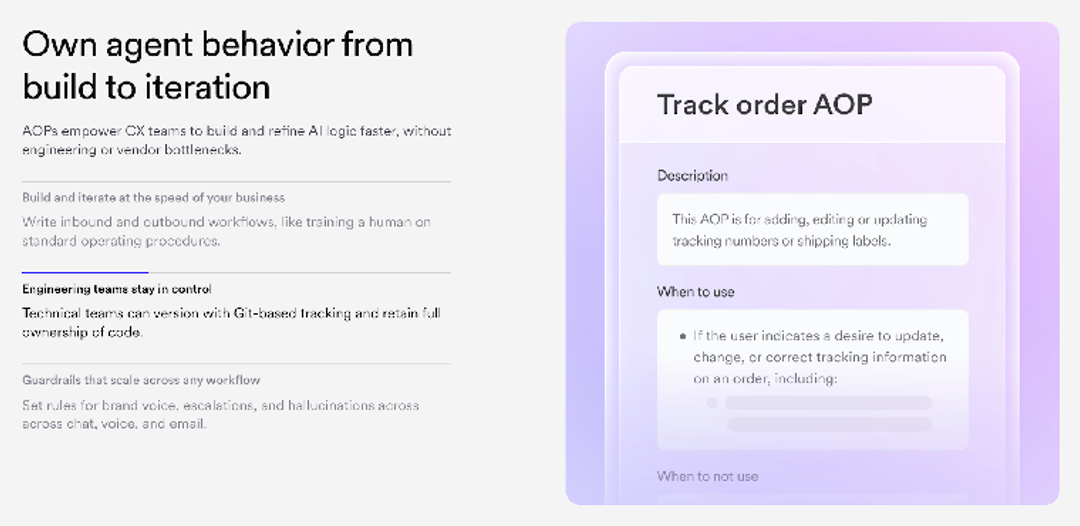
Decagon’s Agent Operating Procedures are workflows written in plain language, and they act in Zendesk, Salesforce, or your own APIs. Your support lead can write the agent’s logic without filing a ticket with engineering. At Substack, the newsletter publishing platform, the agent handles refunds and cancellations end to end, and Decagon names refunds as a guarded operation.
Verdict: Pick it if your team already writes standard operating procedures (SOPs), and make sure your contract defines what counts as a resolution.
10. Ada – a public resolution formula, graded by its AI
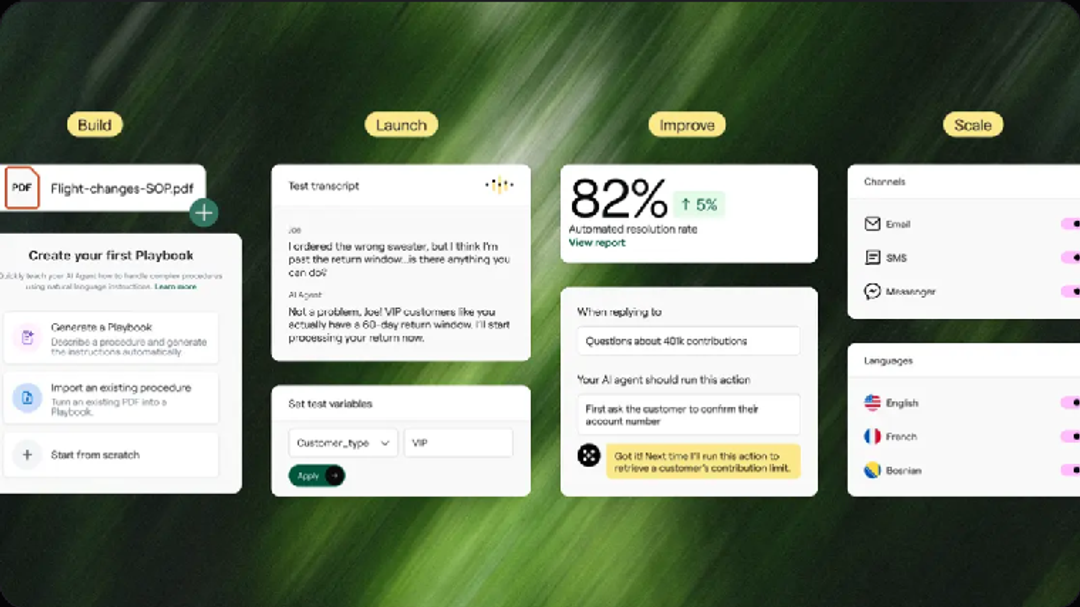
Ada publishes a resolution formula you can read, and its AI grades each conversation against it. Your team’s feedback in Ada’s dashboard doesn’t change the grade. Ada’s platform page claims 84%, while Ada’s own guide treats 84% as the ceiling and puts the average near 52%.
Its API tools create, update, and cancel records, with Amadeus, Galileo, and Sabre handling airline rebookings. Its docs advise enabling “write” tools with care and keeping them behind a Playbook.
Verdict: Audit a sample of its graded resolutions before you trust the rate, and plan to keep a separate help desk.
11. Lorikeet – approvals-first agents for regulated teams
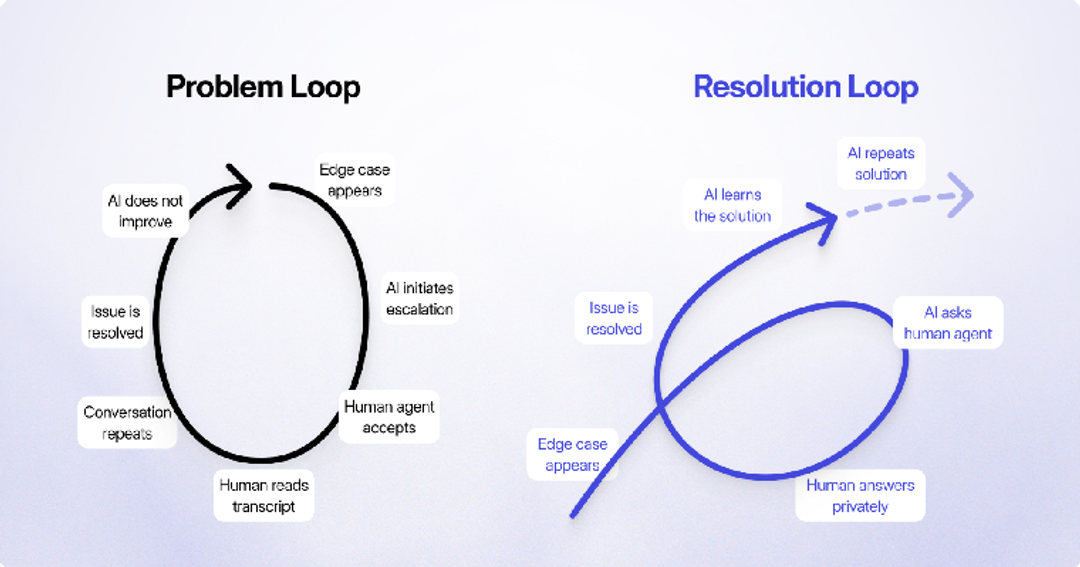
Lorikeet targets teams whose tickets move money. It issues Stripe refunds when you permit it, and high-value actions can require a person to authorize them. Sensitive steps such as payments and identity checks run as fixed code the agent can’t alter.
Lorikeet’s customer story on Hnry (a fintech company) reports a 70% peak in one week and about 58% over the full period. Its FAQ says “no platform fees,” while its pricing page lists a plan fee, so confirm the fee in your contract.
Verdict: Its fixed-code payment and identity steps are the reason to choose it when a regulator reads your transcripts. Weigh the annual plan fee against your volume first.
12. Fini – resolution-priced AI that sits on your help desk
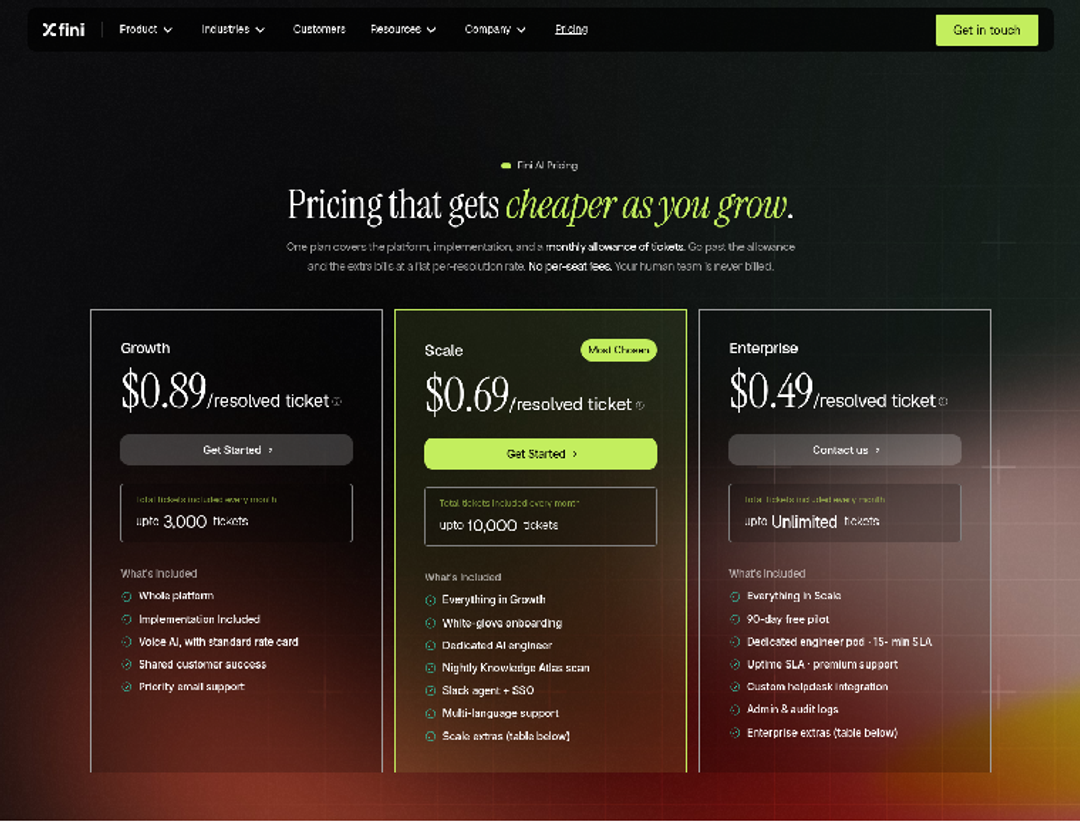
Fini doesn’t ask you to move: its agent runs on top of the help desk you already have, including Zendesk, Intercom, Salesforce, HubSpot, Freshdesk, and ServiceNow. Connect your billing, CRM, and internal tools, and Fini says it then takes actions such as refunds and account updates, across voice, chat, and email.
Fini bills a resolution only when its agent solves an issue end to end with no human handover. A conversation reopened within 72 hours isn’t billed twice, and greetings, spam, and abandoned sessions never bill. Its homepage claims a 90% resolution rate.
Verdict: Use it to keep your help desk and pay per resolved ticket on chat and email, while voice bills per call. Ask how refunds are approved before you switch them on.
13. Gorgias – Shopify actions with the shopper’s say-so
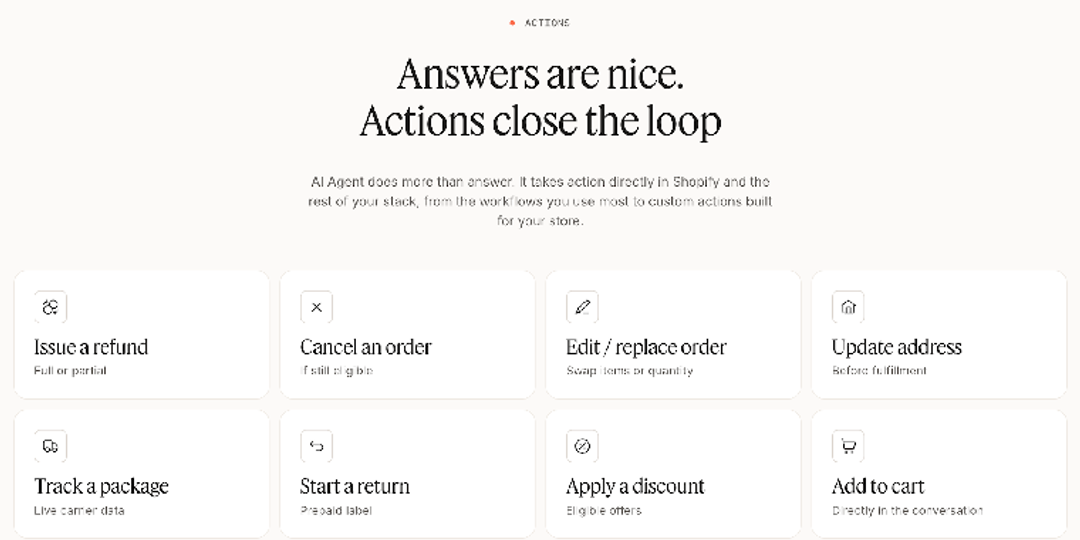
If most of your tickets ask where an order is, start with Gorgias. It cancels unfulfilled Shopify orders, restocks items, refunds, and edits addresses, and the shopper, not your staff, confirms irreversible actions. It needs a connected Shopify store. Its homepage claims 60%, and one of its customer stories counts rule-based flows alongside the AI.
Verdict: For a Shopify store whose tickets are about orders, its order actions, on Basic and above, do the work without custom code.
14. Plain – B2B support inside shared Slack channels
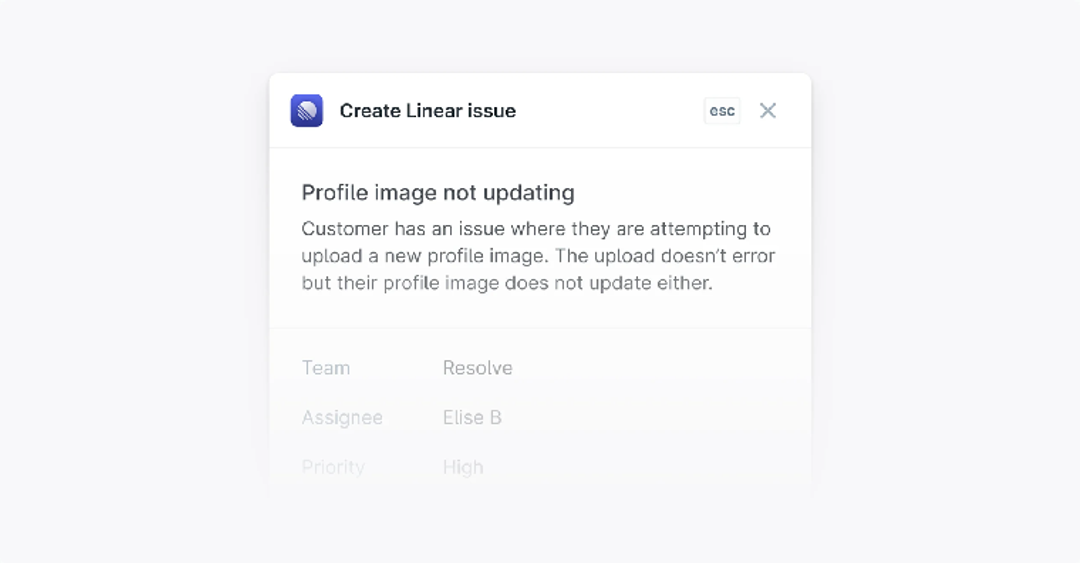
Plain says its customer-facing agent, Ari, answers and hands off, and that billing, sales, security, and incident requests always go to a person. Sidekick, the team-facing agent, does the writing: it files Linear or Jira issues only after you approve. That restraint suits shared Slack, Microsoft Teams, and Discord channels, where a wrong autonomous action is a very public mistake. Plain’s Ari page says teams trust Ari with 40%+ of volume, but doesn’t say how it counts volume.
Verdict: Plain fits when your customers live in Slack and your engineers own the fixes. If you want the customer-facing AI to change records itself, look at Fin.
15. Owlish – cited answers and a shared inbox for small teams
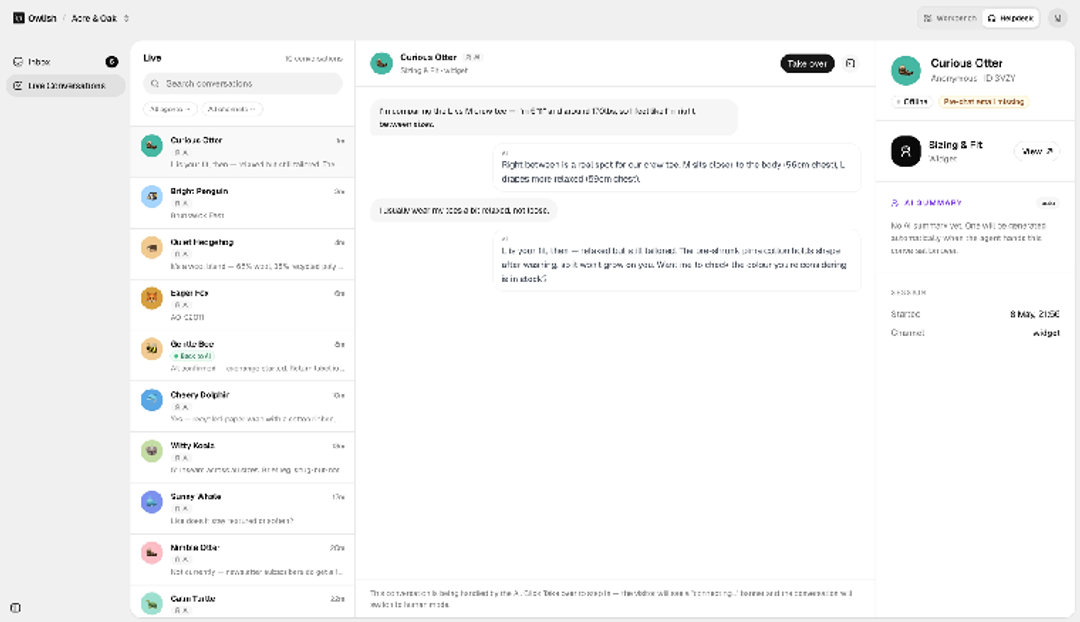
Owlish answers only from the sources you load, and every reply cites the passages it drew from. It acts, too: Owlish says you can wire up representational state transfer (REST) endpoints, database lookups, CRM writes, calendar bookings, or ticket creation. It also logs every tool run, rate-limits it, and scopes it to the agent that needs it, by Owlish’s account. A confidence threshold makes the agent escalate instead of guessing, and an operator can whisper to it mid-thread or take over.
Verdict: A small team whose answers live in its docs gets cited replies, plus a shared inbox and teammate handoff from the Growth plan up.
16. Botsify – white-label chatbots for agencies
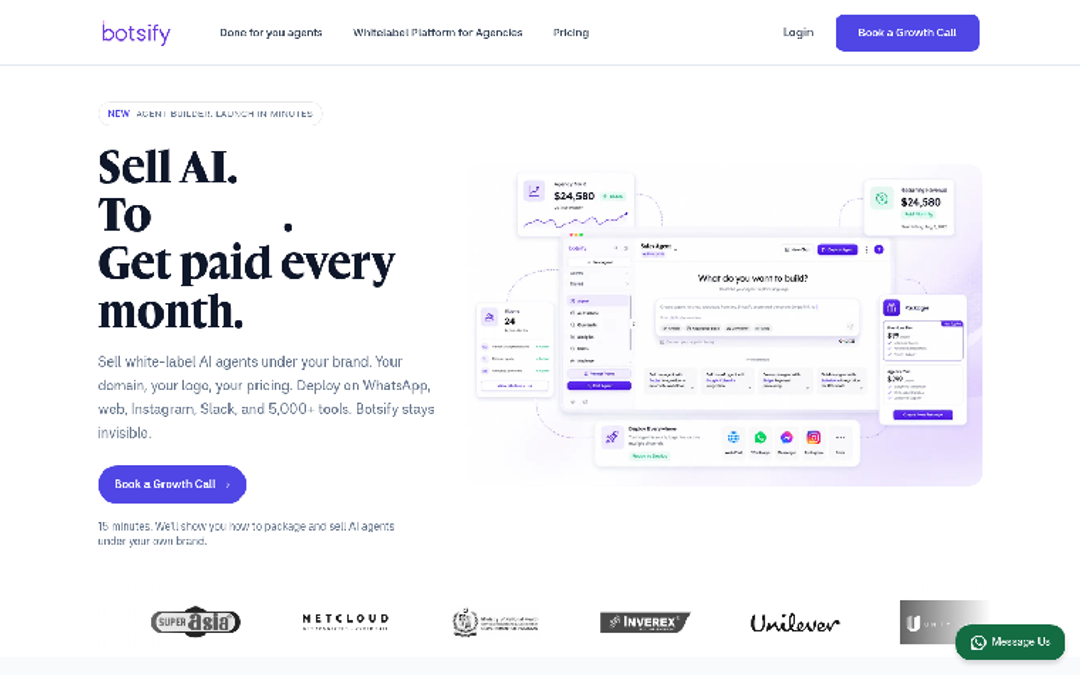
Botsify sells a white-label AI chatbot platform. Agencies build agents, bill clients under their own brand, and mark up the model and MCP costs underneath. One agent can go live on a website, WhatsApp, Messenger, Instagram, Telegram, Slack, SMS, and voice. Botsify says its agents answer support tickets, update your CRM, and handle refunds or returns through 600-plus apps, APIs, and MCP servers, and they only reach the APIs and documents you authorize.
Verdict: Botsify is an agency product first: it puts chatbots in front of your clients’ customers under your brand. Get the agency price in the demo before you quote a client.
17. Botpress – build it yourself, pay per conversation
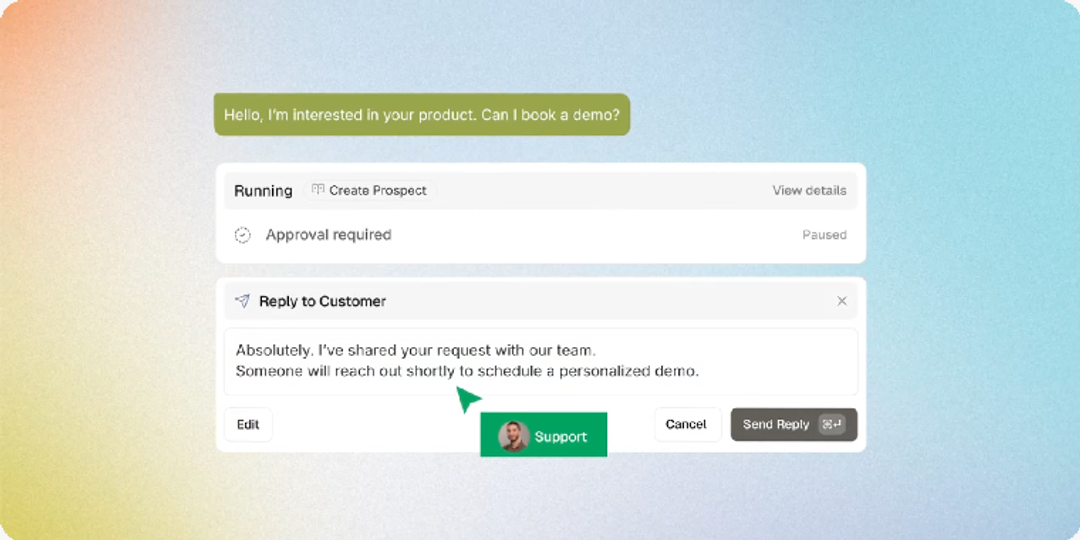
Botpress hands you the parts and trusts you to assemble them. Its integrations close Zendesk tickets and update HubSpot and Salesforce records, and code actions reach any API, with approval thresholds you configure. Its AI actions page mentions refunds, but its Stripe integration lists no refund action, so plan to build that part.
Verdict: Botpress rewards teams who’d rather build than buy; without engineers, Freshworks ships the actions ready-made.
How should you test these platforms on your own tickets?
A demo shows the vendor’s best ticket. Bring yours instead:
- List your 20 most common ticket types. Mark the ones that need a change in another system, such as a refund, an order edit, or a bug report.
- Ask which action does each one. Is it ready-made or built by your engineers, and does it wait for your staff, the customer, or nobody?
- Ask what the invoice calls each outcome. That includes a customer who goes quiet and a ticket handed to your team.
Our Co-Founder and President, Manoj Agarwal, on why an agent needs context from across your systems:
“In an enterprise, the answer rarely lives in one place. It lives across tickets, documentation, customer records, orders, engineering systems, and business applications. If an agent can’t reason within that context, it must eventually hand the conversation to someone who can.”
– Manoj Agarwal, DevRev Co-Founder and President, launching voice AI on July 23, 2026
Bring those 20 ticket types to a DevRev demo. We’ll show you which ones Computer can finish, which need your approval, and which stay with your team.